TL;DR
Microsoft is engineering a substantial performance and stability overhaul for File Explorer in Windows 11, targeting long-standing user complaints about speed, visual bugs in dark mode, and application crashes. This update, expected in the second half of 2026, represents a direct response to user feedback and a strategic move to refine the core user experience ahead of future Windows development cycles.
What Happened
Microsoft has confirmed it is developing a major update for the Windows 11 File Explorer, an application used billions of times daily, to directly address pervasive performance and reliability issues. The planned overhaul, detailed in a report by Windows Latest on April 18, 2026, specifically aims to accelerate file operations, eliminate disruptive visual glitches in dark mode, and significantly reduce the frequency of the critical explorer.exe process crashing.
Key Facts
- Source & Date: The details were reported by Windows Latest on Saturday, April 18, 2026.
- Core Focus: The update is a performance and stability overhaul for the Windows 11 File Explorer, the central file management interface.
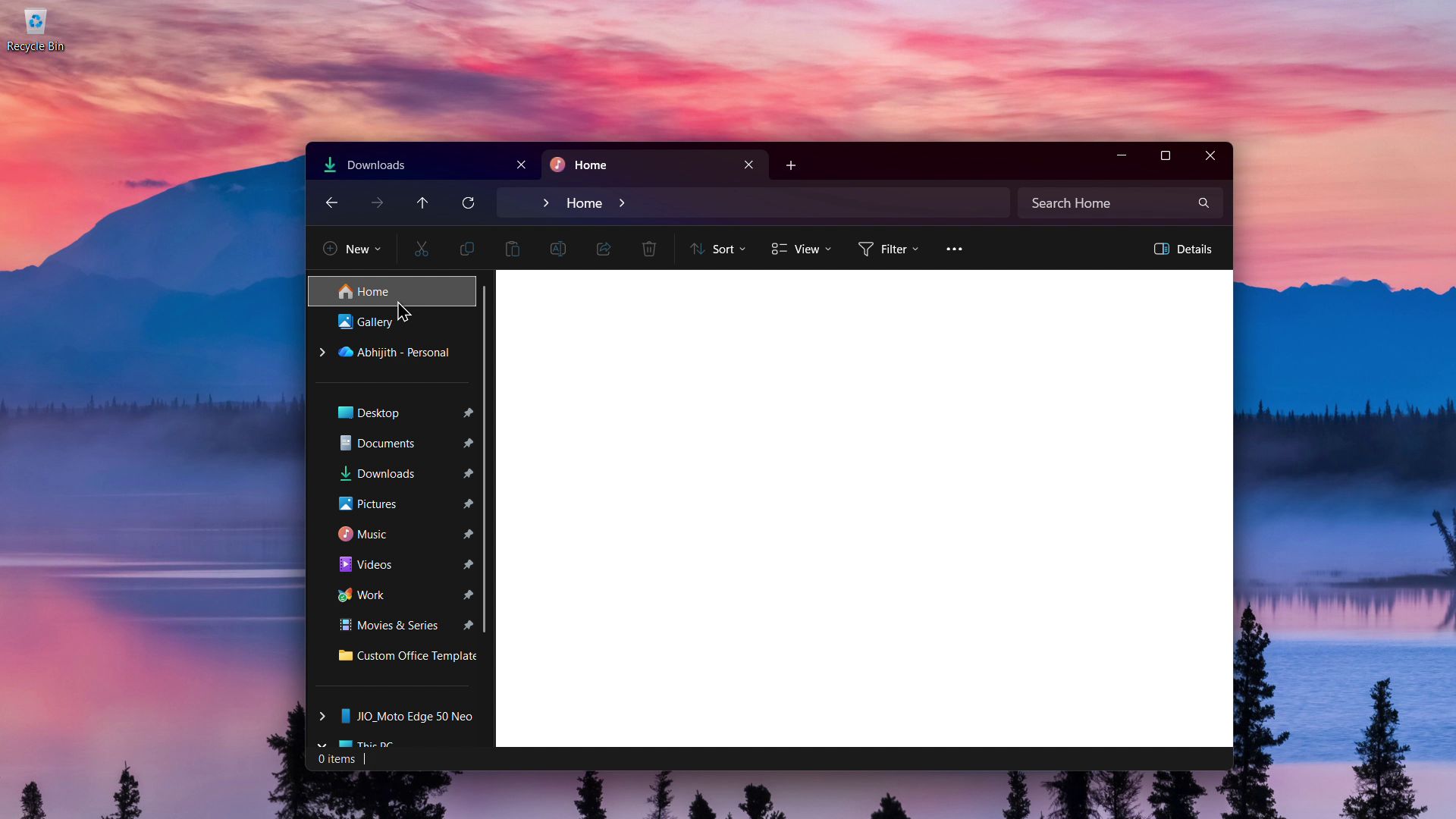
- Key Improvements: The update targets three primary areas: faster general operation and file loading, fixing "white flashes" that disrupt the dark mode aesthetic, and reducing crashes of the explorer.exe process.
- Development Stage: Microsoft is preparing the update, indicating it is in active development but not yet released to the public or Windows Insider channels.
- Strategic Implication: This move follows years of user feedback criticizing File Explorer's performance compared to third-party alternatives and its instability on certain systems.
Breaking It Down
Microsoft’s decision to prioritize a foundational File Explorer tune-up in 2026 is a notable shift in focus. For years, the company has layered new features onto Windows—from AI Copilot integration to revamped system settings—while core utilities like File Explorer have often been criticized for lagging behind in optimization. This update signals an acknowledgment that user experience is as much about reliability and fluidity as it is about new capabilities. By tackling the persistent "white flash" issue in dark mode, Microsoft is addressing a specific pain point that undermines the cohesive visual design it has championed in Windows 11, suggesting a renewed attention to detail in system-wide theming.
The most critical technical goal is reducing crashes of the explorer.exe process, a failure that can freeze the desktop, taskbar, and start menu, rendering a machine temporarily unusable.
The stability of explorer.exe is paramount because it is not just a file manager; it hosts the entire Windows shell, including the desktop and taskbar. A crash here is catastrophic for user productivity, forcing a restart of the process or the entire system. Microsoft’s public commitment to reducing these crashes indicates internal telemetry has likely identified recurring failure points, possibly related to memory leaks, shell extension conflicts, or network drive interactions. A more resilient explorer.exe would directly improve the perceived reliability of Windows 11 itself, a metric crucial for both consumer satisfaction and enterprise IT support costs.
This development also reflects the evolving competitive landscape for file management. While Microsoft’s File Explorer is ubiquitous, powerful third-party applications like Directory Opus, Total Commander, and Files App have carved out dedicated user bases by offering superior speed, customization, and stability. By investing in File Explorer's core performance, Microsoft is working to negate the primary advantages of these alternatives, aiming to keep users within the native ecosystem. This is especially important as cloud storage and AI-powered file search become more integrated, areas where Microsoft can leverage its ecosystem with OneDrive and Copilot.
What Comes Next
The announced update is now entering a critical phase of testing and integration. Its path to general release will be closely watched by Windows enthusiasts and IT administrators as a bellwether for Microsoft's current development priorities for the Windows 11 platform.
- Windows Insider Program Rollout: The first concrete milestone will be the update's release to the Beta or Dev Channels of the Windows Insider Program. This will provide the first real-world data on its performance gains and stability, likely occurring in late Q2 or Q3 2026.
- Feature Integration with Annual Update: This File Explorer overhaul is unlikely to be a standalone patch. It will almost certainly be bundled into a larger feature update for Windows 11, such as the anticipated "2026 Update" (codenamed "Hudson Valley"). Watch for its inclusion in the update roadmap later this year.
- Performance Benchmarking: Upon release, independent tech analysts and publications will conduct direct performance comparisons, measuring file copy speeds, application launch times, and memory usage against the previous version of File Explorer and against popular third-party alternatives. The results will validate or challenge Microsoft's claims.
- Enterprise Evaluation and Deployment: Large organizations will test the update in their environments to ensure compatibility with legacy software and network drives. Widespread enterprise adoption will hinge on proven stability, as a faulty explorer.exe update could disrupt thousands of workstations.
The Bigger Picture
This File Explorer initiative connects to two significant, ongoing trends in the software industry. First, it exemplifies the "maturation phase" of major OS releases. After the flurry of new features that launched with Windows 11, Microsoft is now entering a period of refinement, optimization, and debt repayment—focusing on polishing the core experience rather than solely adding new surfaces. This cycle is essential for maintaining user trust and system longevity.
Second, it highlights the increasing importance of system-wide aesthetic cohesion and accessibility. The fix for "white flashes" in dark mode is not merely a cosmetic tweak; it is a usability and accessibility issue. Inconsistent theming can cause eye strain, particularly in low-light environments, and betrays a lack of polish. As operating systems become more visually sophisticated, users expect flawless execution of fundamental features like theme application, pushing companies like Microsoft to audit and perfect these details across all system components.
Key Takeaways
- Performance Priority: Microsoft is shifting focus from pure feature addition to core performance optimization for a critical Windows component, directly responding to long-standing user feedback.
- Stability is Key: The targeted reduction of explorer.exe crashes aims to improve the fundamental reliability of the Windows 11 desktop experience, which is crucial for both consumer and enterprise users.
- Detail-Oriented Design: Fixing the "white flash" bug signifies a commitment to perfecting system-wide dark mode, an important aspect of visual polish, accessibility, and user comfort.
- Competitive Response: This overhaul serves as a strategic counter to third-party file managers, seeking to eliminate the performance and stability advantages that have driven users to alternatives.